
Reinvent Alt Text
Alt text for every image.Only where it’s missing.
Image alt text for WordPress, made from the file name on upload and in bulk. Alt text you wrote is never touched.
1 of 4 images have alt text
sunset-beach_2-1024x768.jpg
No alt text
Sunset beach 2
grandmas-bakery.jpg
No alt text
Grandma’s bakery, 1962
IMG_4032.jpg
No alt text
red-running-shoes.webp
No alt text
Red running shoes
Skips names like IMG_4032
Undo in one click
Then upload it in WordPress: Plugins → Add New → Upload Plugin
Try it with your file names
Type the name of a picture on your site, or tap an example. This is the alt text the plugin writes for it.
Alt text it gets
“Sunset beach 2”
Removed the extension and WordPress’s size suffix. Hyphens and underscores became spaces.
Fill only what’s missing. Undo anytime.
No backup needed first: your own alt text is never changed, and one click takes back what the plugin wrote.
Media → Alt Text
1 of 5 images have alt text
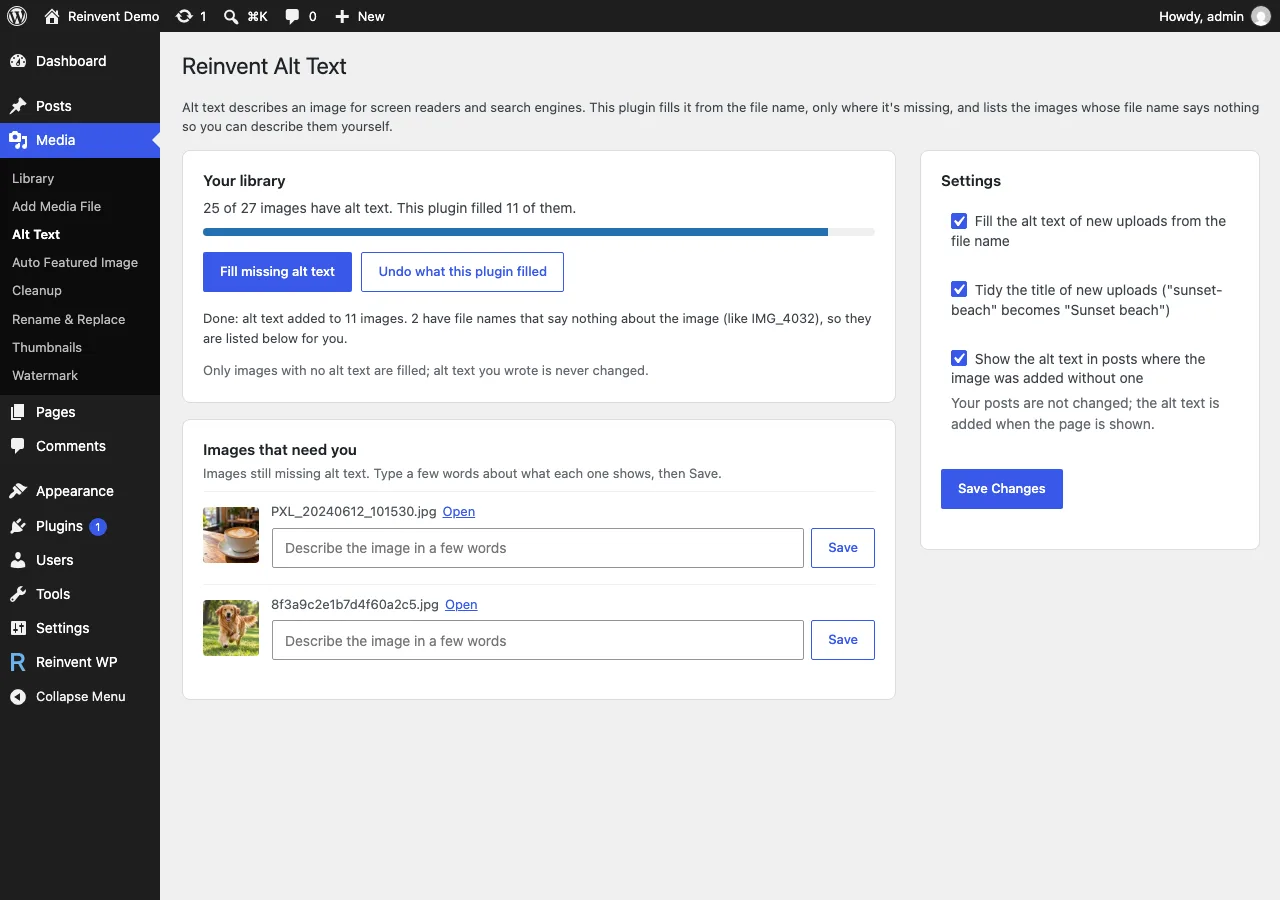
Only images with no alt text are filled; alt text you wrote is never changed.
grandmas-bakery.jpg
Grandma’s bakery, 1962
Yours, keptsunset-beach_2-1024x768.jpg
No alt text
noneIMG_4032.jpg
No alt text
nonered-running-shoes.webp
No alt text
noneScreenshot 2026-01-05 at 10.32.11.png
No alt text
none
Old posts get it too
Pictures you added to posts years ago get their alt text, so every visitor and search engine knows what they show.
Blog · June 2023
Our summer at the beach
Alt text on the page
Sunset beach 2
A screen reader says
“Sunset beach 2, image.”
The alt text comes from your Media Library as the page is shown. Your saved post isn’t changed.
See it in WordPress
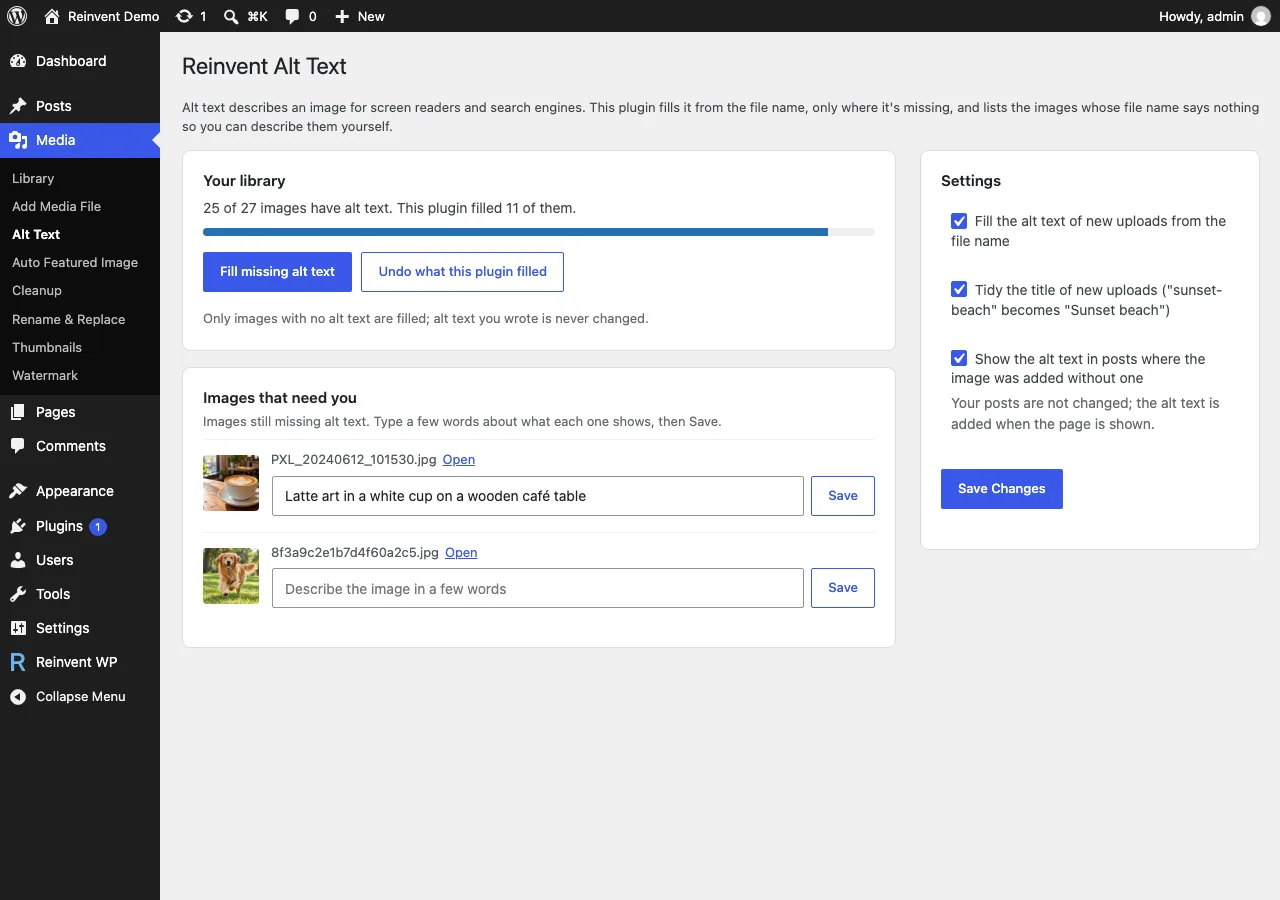
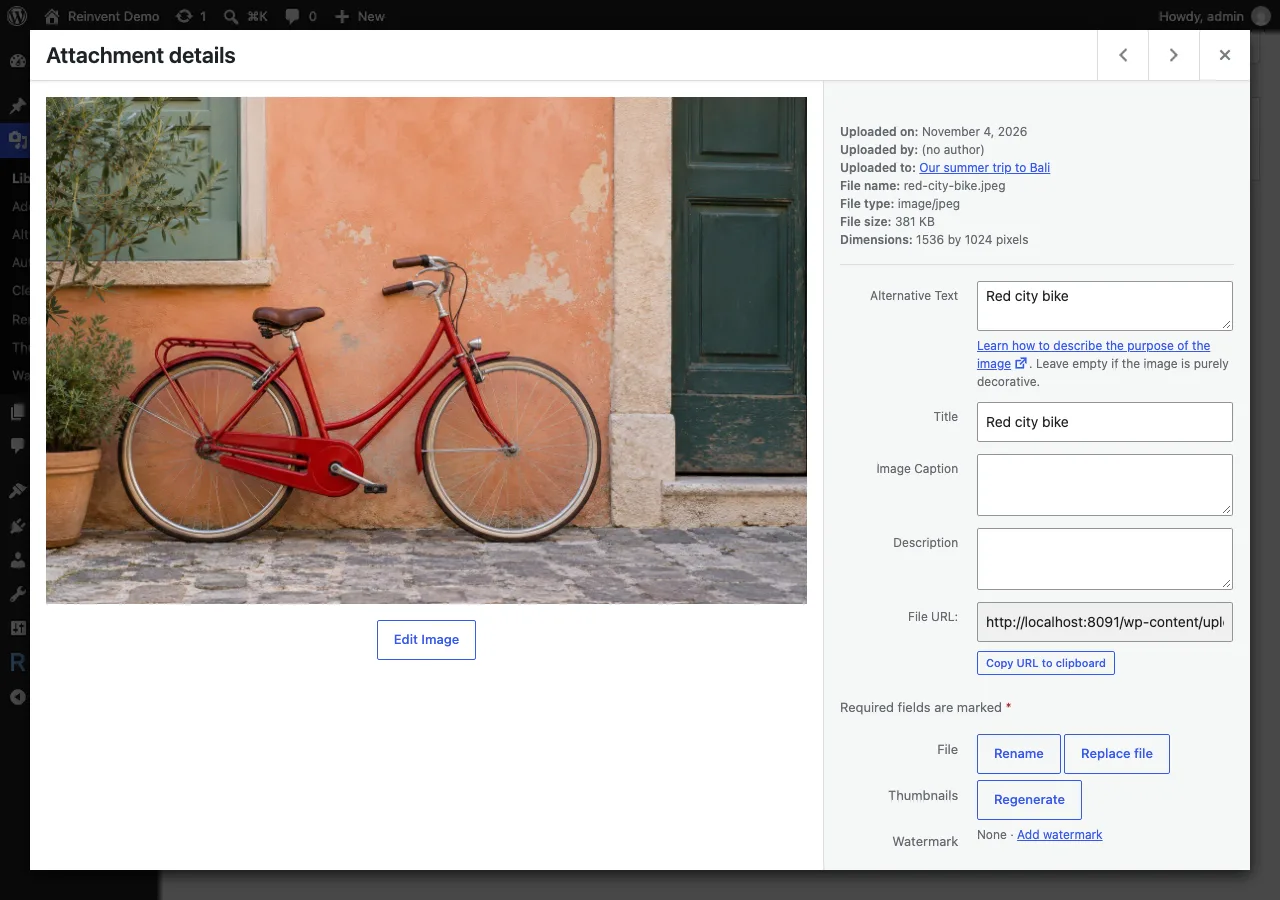
Media → Alt Text: how many images have alt text, fill or undo, and the images that need you.
Add Alt Text to WordPress. Free.
Not on WordPress.org yet: download the free zip · No account · No card
Then upload it in WordPress: Plugins → Add New → Upload Plugin
Up and running in a minute
- 1
Install the plugin from Plugins → Add New, or upload the zip.
- 2
Activate it. New uploads get alt text from now on.
- 3
Open Media → Alt Text and click Fill missing alt text for the images you already have.
- 4
Describe the images listed under "Images that need you".
Questions and answers
Click Undo what this plugin filled on the Media → Alt Text page. It removes the alt text the plugin wrote, except on images where you changed it since.
Their file names say nothing about the image: camera and phone names (IMG_4032, DSC01234, PXL_…), screenshots, WhatsApp images, hashes and numbers. Writing "IMG 4032" as alt text would be worse than nothing for screen reader users, so these images are listed on the plugin's page for you to describe.
It's only as good as the file name. Name your files after what they show ("red-running-shoes.jpg") and the alt text will be useful. For the most important images, a short description written by you is still best.
Yes, when Show the alt text in posts where the image was added without one is on (it is by default). The alt text is added to those images when the page is shown. Images in posts that already have alt text keep theirs.
Images that are purely decorative should have empty alt text. If your posts use library images as decoration, turn off "Show the alt text in posts…" on the settings page.
Its settings and undo records are removed. The alt text stays on your images. If you want to remove what the plugin filled, click Undo before deleting it.
Only if you allow it. The alt text is made on your own server. The plugin's page asks whether you'd like to share a short site report; nothing is sent unless you click "Allow", and you can turn it off anytime under Privacy → Site report. See our privacy policy.
More from Reinvent WP

Reinvent WP Text to Speech
Give your WordPress posts natural-sounding audio, synchronized highlighting, and a polished listening experience powered by modern web technology.

Reinvent Media Cleanup
Find and safely delete unused images and media files. Works with Elementor, Divi, ACF, WooCommerce and every page builder, for free.

Reinvent Retina Images
Sharp retina images in one click: regenerate thumbnails, fix missing image sizes, turn off unneeded ones, make WebP/AVIF and free up space.

Reinvent Rename & Replace Media
Rename images and replace media files without breaking links. Updates links everywhere, keeps old URLs working and lets you undo.

Reinvent Database Cleaner
Clean and speed up your database safely. See which plugin left each table and option behind, and undo anything with built-in backups.

Reinvent Image Links
Link each image in a gallery to any page or URL: products, case studies, partner sites. Works with Gallery blocks, Image blocks and classic galleries.

Reinvent Lightbox
A fast, accessible lightbox for images and galleries, with photo details (EXIF), slideshow, zoom, download and shareable links. All free.

Reinvent RSS Featured Image
Add featured images to your RSS feed, so Mailchimp, MailerLite, Feedly and other feed readers show a picture with every post. Free, no setup.

Reinvent Watermark
Add a text or logo watermark to your images on upload or in bulk, and remove it any time: the original is always kept.
Contact us
Tell us what you need. Include enough detail for us to understand your question and help you faster.
Prefer email? Write to support@reinventwp.com