
Reinvent Lightbox
WordPress Lightbox
A fast, accessible lightbox for images and galleries, with photo details (EXIF), slideshow, zoom, download and shareable links. All free.
A free plugin, coming soon to WordPress.org.
Why Lightbox
Click an image, see it large. Swipe or use the arrow keys to browse the gallery, zoom in for detail, and share a link that opens that exact photo.
Reinvent Lightbox works with the WordPress image and gallery blocks, classic galleries and any image that links to its file. There's nothing to set up: activate it and your images open in the lightbox.
See it in action
01
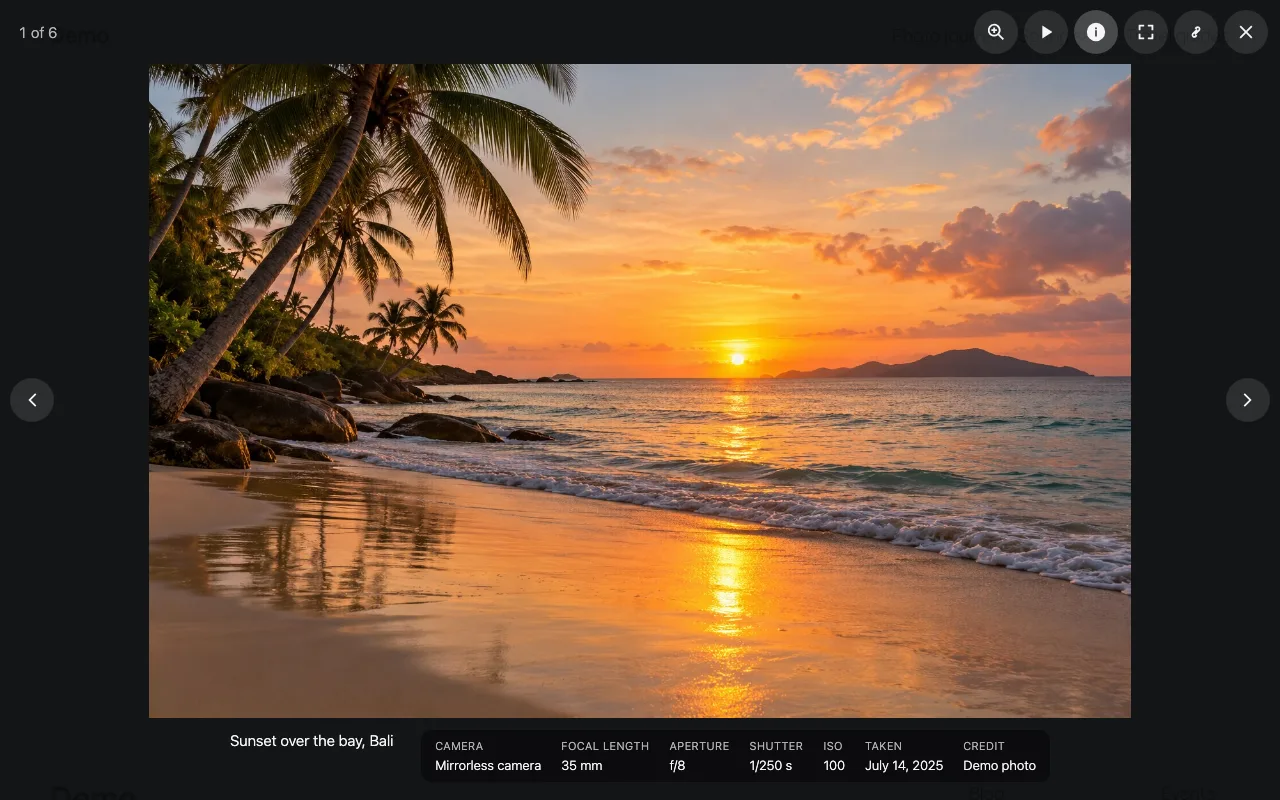
Photos open large and sharp, with their caption and camera details.
02
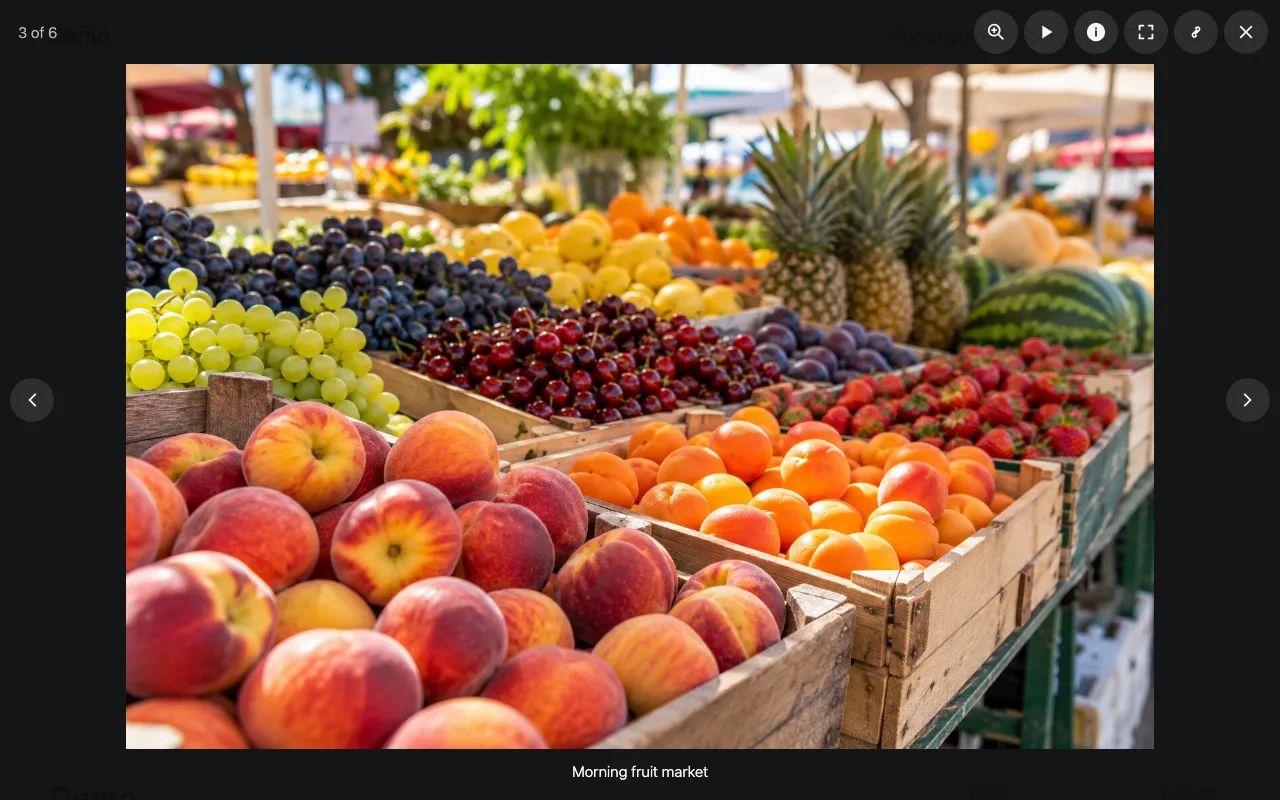
Browse a whole gallery with the arrows, a swipe or the keyboard; every photo has its own link you can share.
03
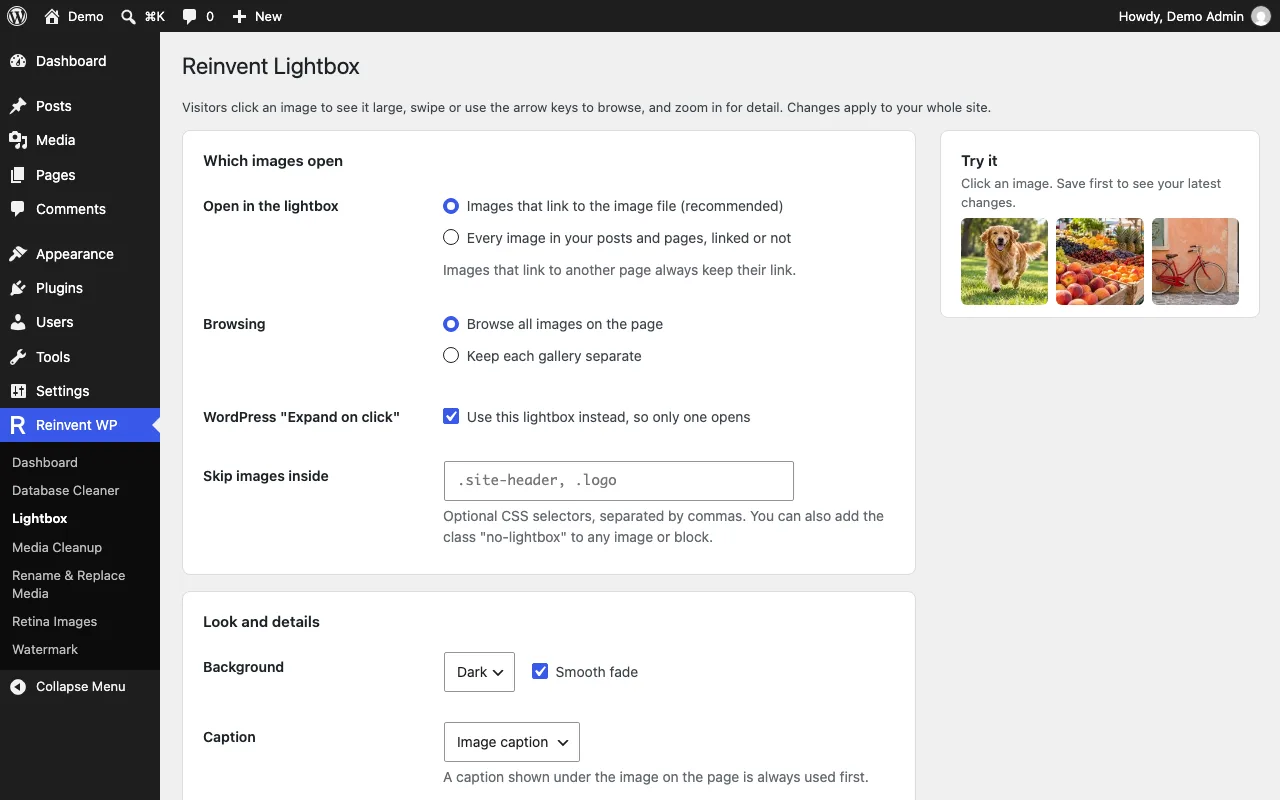
One simple settings page, with a preview of your own images.
Lightbox is coming soon
It will be free on WordPress.org. Want it sooner? Tell us what you need it for.
Tell us you want itOnce it is out
- 1
Install the plugin from Plugins → Add New, or upload the zip.
- 2
Activate it. Images that link to their file now open in the lightbox.
- 3
To change options, go to Reinvent WP → Lightbox.
Everything it does
Everything included, for free
Galleries and single images. Browse every image on the page, or keep each gallery separate.
Photo details. Camera, focal length, aperture, shutter speed, ISO, date, credit and copyright, read from the photo's EXIF data. Great for photographers.
Zoom and pan. Double-click or tap the zoom button to see the image at full size, then drag to look around.
Slideshow. Plays through the gallery at the speed you choose.
Shareable links. Every image gets its own link, so a visitor can share one exact photo.
Full screen and download buttons, if you want them.
Captions from the image caption, alternative text or title.
Replaces WordPress's "Expand on click" so only one lightbox ever opens.
Light or dark background, with an optional smooth fade.
Fast and accessible
One small script and stylesheet, with no jQuery or other libraries.
Full keyboard support: Enter opens, arrow keys browse, Esc closes, and focus stays inside the viewer and returns to the image afterwards.
Screen reader labels on every button, and the image count is announced.
Touch: swipe left or right to browse, swipe down to close.
Respects "reduce motion" settings.
For developers
Add the class
no-lightboxto any image or block to skip it, or list CSS selectors in the settings.After loading images with JavaScript (infinite scroll, filters), call
window.rwplb.refresh().window.rwplb.open( group, index )andwindow.rwplb.close()are available too.
Questions and answers
When you upload a photo, WordPress saves some of its EXIF data (camera, aperture, shutter speed, ISO, focal length, date, credit and copyright). The lightbox shows those values. Location (GPS) data is never shown.
Yes. By default this plugin takes over for those images, so visitors never see two different lightboxes. You can turn that off in the settings.
No. The lightbox runs entirely on your site and doesn't connect to any external service.
More from Reinvent WP

Reinvent WP Text to Speech
Give your WordPress posts natural-sounding audio, synchronized highlighting, and a polished listening experience powered by modern web technology.

Reinvent Media Cleanup
Find and safely delete unused images and media files. Works with Elementor, Divi, ACF, WooCommerce and every page builder, for free.

Reinvent Retina Images
Sharp retina images in one click: regenerate thumbnails, fix missing image sizes, turn off unneeded ones, make WebP/AVIF and free up space.

Reinvent Rename & Replace Media
Rename images and replace media files without breaking links. Updates links everywhere, keeps old URLs working and lets you undo.

Reinvent Database Cleaner
Clean and speed up your database safely. See which plugin left each table and option behind, and undo anything with built-in backups.

Reinvent Gallery Custom Links
Link each image in a gallery to any page or URL: products, case studies, partner sites. Works with Gallery blocks, Image blocks and classic galleries.

Reinvent RSS Featured Image
Add featured images to your RSS feed, so Mailchimp, MailerLite, Feedly and other feed readers show a picture with every post. Free, no setup.

Reinvent Watermark
Add a text or logo watermark to your images on upload or in bulk, and remove it any time: the original is always kept.
Contact us
Tell us what you need. Include enough detail for us to understand your question and help you faster.
Prefer email? Write to support@reinventwp.com