
Reinvent Database Cleaner
WordPress Database Cleaner
Clean and speed up your database safely. See which plugin left each table and option behind, and undo anything with built-in backups.
A free plugin, coming soon to WordPress.org.
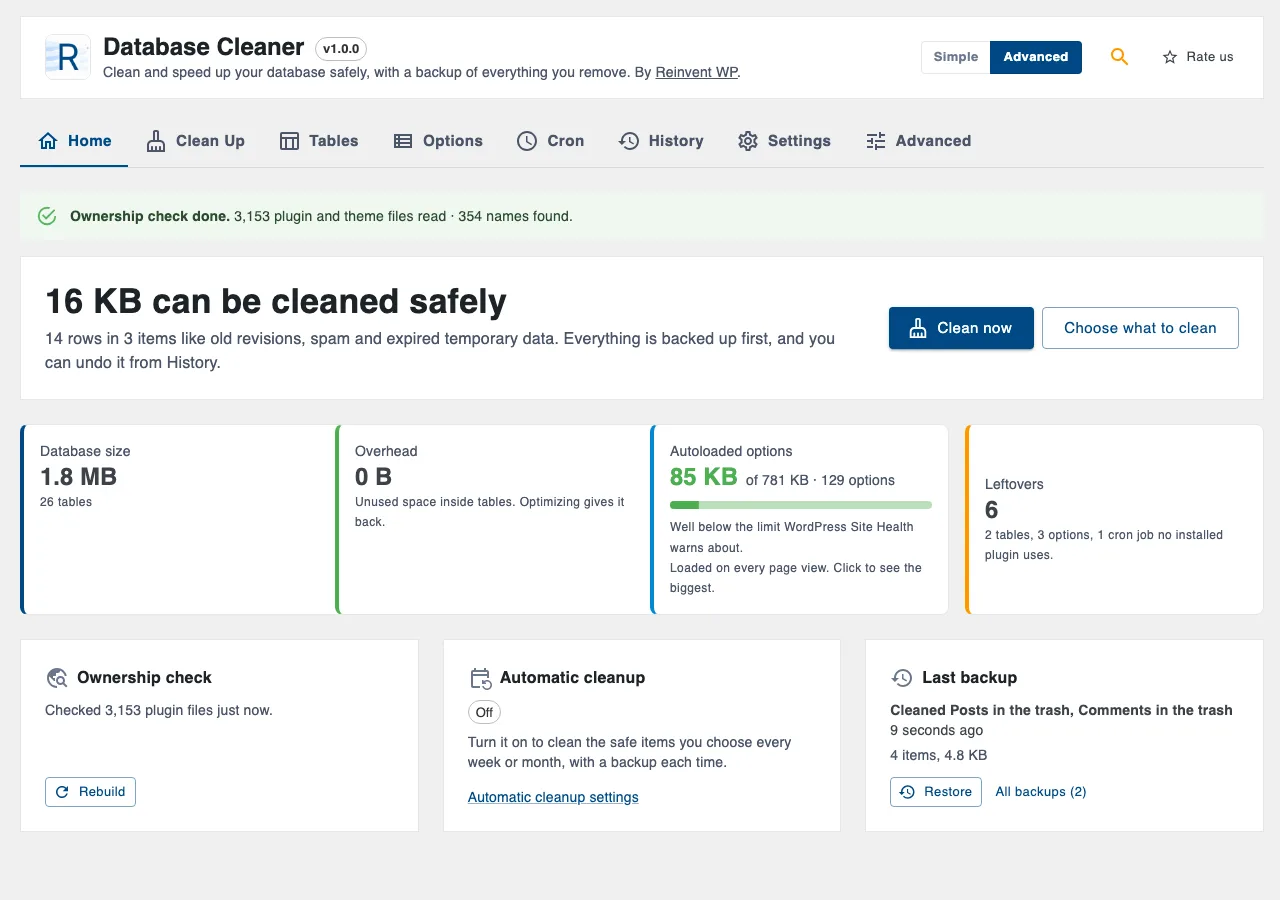
Why Database Cleaner
Old revisions, spam, expired temporary data and leftovers from plugins you deleted long ago all slow your site down. Reinvent Database Cleaner finds them, tells you in plain words what each one is, and removes them safely.
One click, nothing to fear
The home screen shows how much can be cleaned safely. Click Clean now. Everything removed is first copied to a private backup on your server, so you can put it back from History with one click. No other free database cleaner does this.
Who owns this table?
Other cleaners charge for this. We check the code of WordPress, your plugins and your themes on your own server, and label every table, option and scheduled task:
- WordPress: never offered for removal.
- Used by an active plugin: never offered for removal.
- Inactive plugin: you decide; keep it if you'll use that plugin again.
- No installed plugin: most likely left by a plugin you deleted.
Faster pages with autoload
WordPress loads some options on every page view. We show the total against the limit Site Health warns about, the biggest ones and who they belong to, and let you stop autoloading them in one click. You can undo that too.
Automatic cleanup
Clean the safe items weekly or monthly, in the background.
See it in action
01
what can be cleaned safely, database size and autoload.
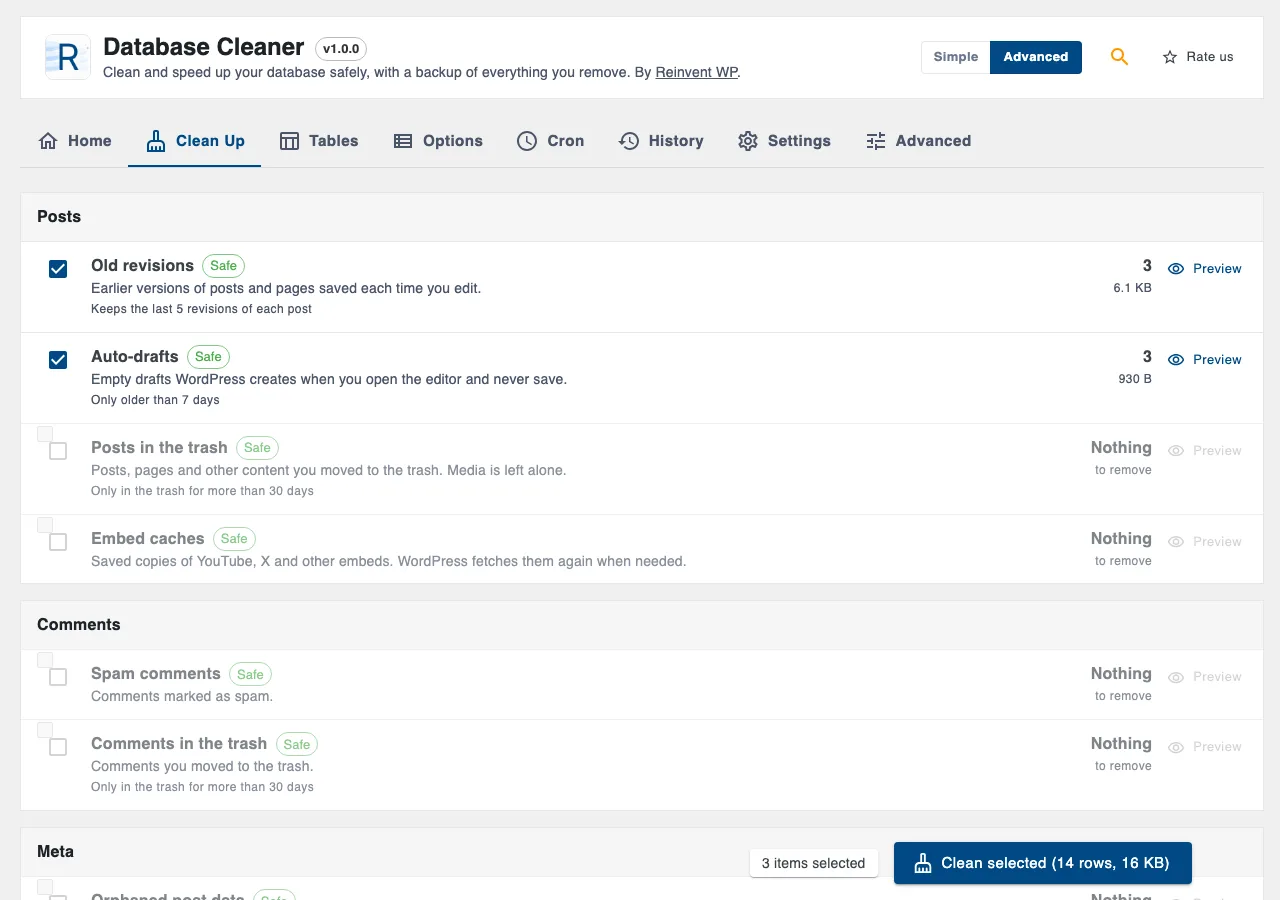
02
Clean Up: every item explained, with a preview.
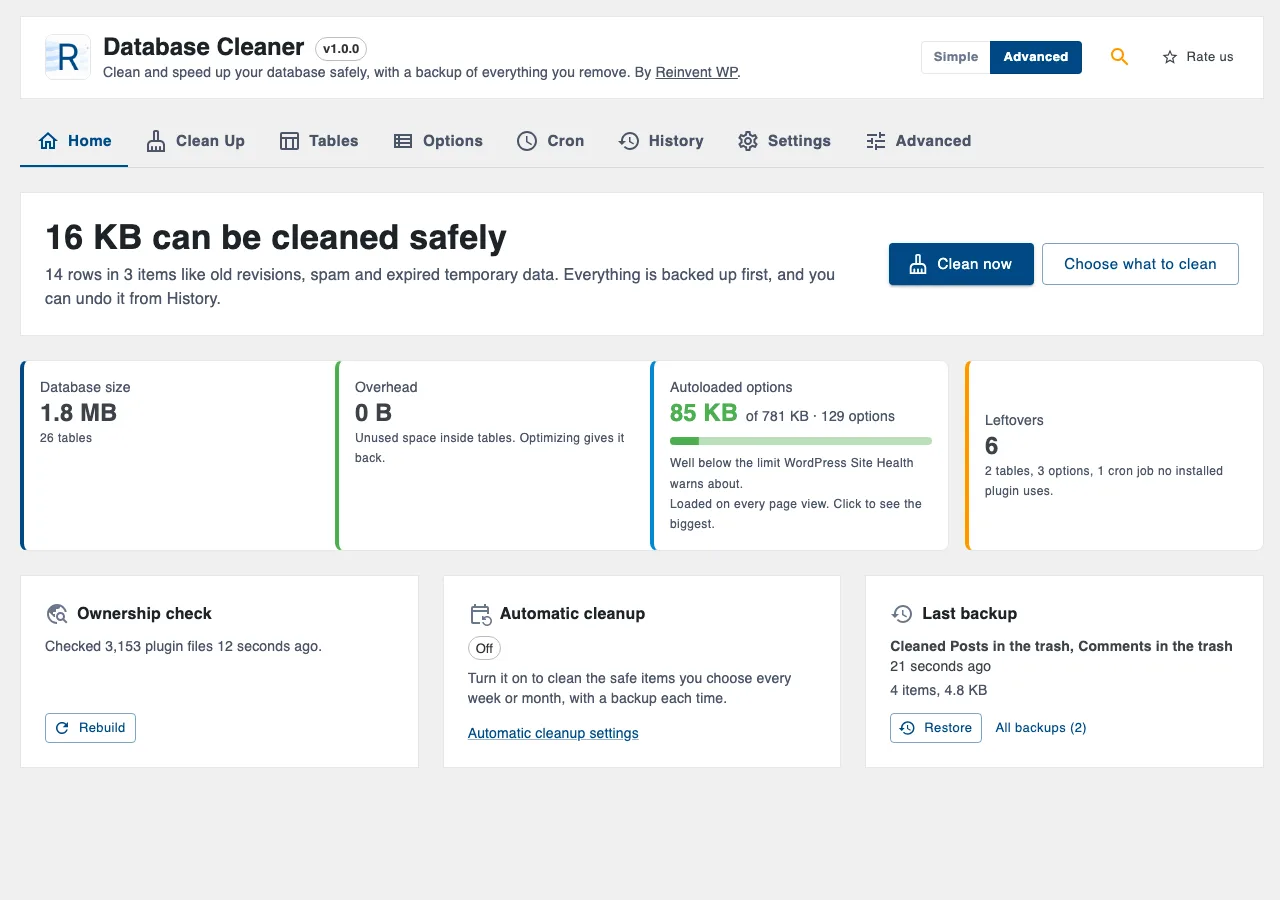
03
Tables with their owners.
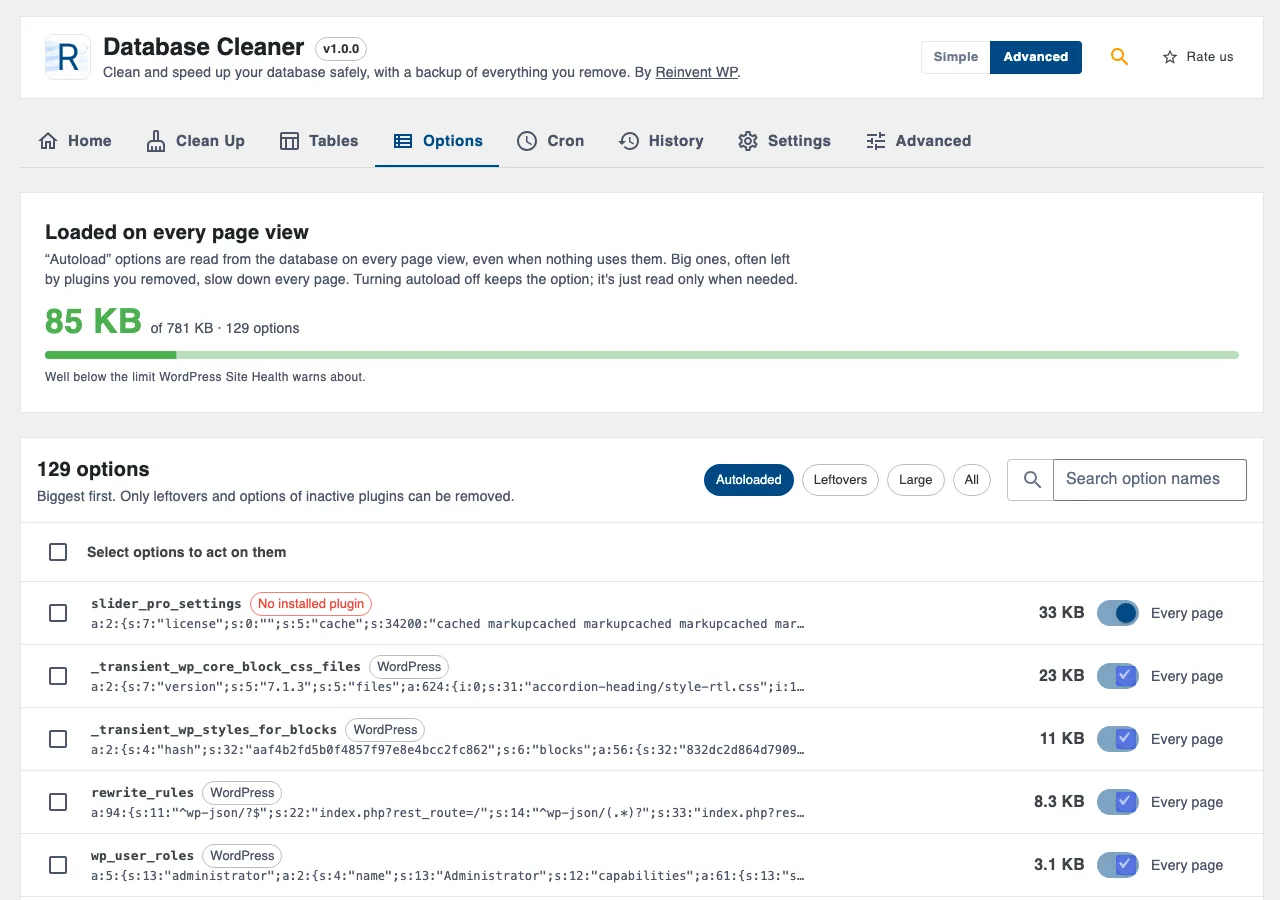
04
Options and autoload.
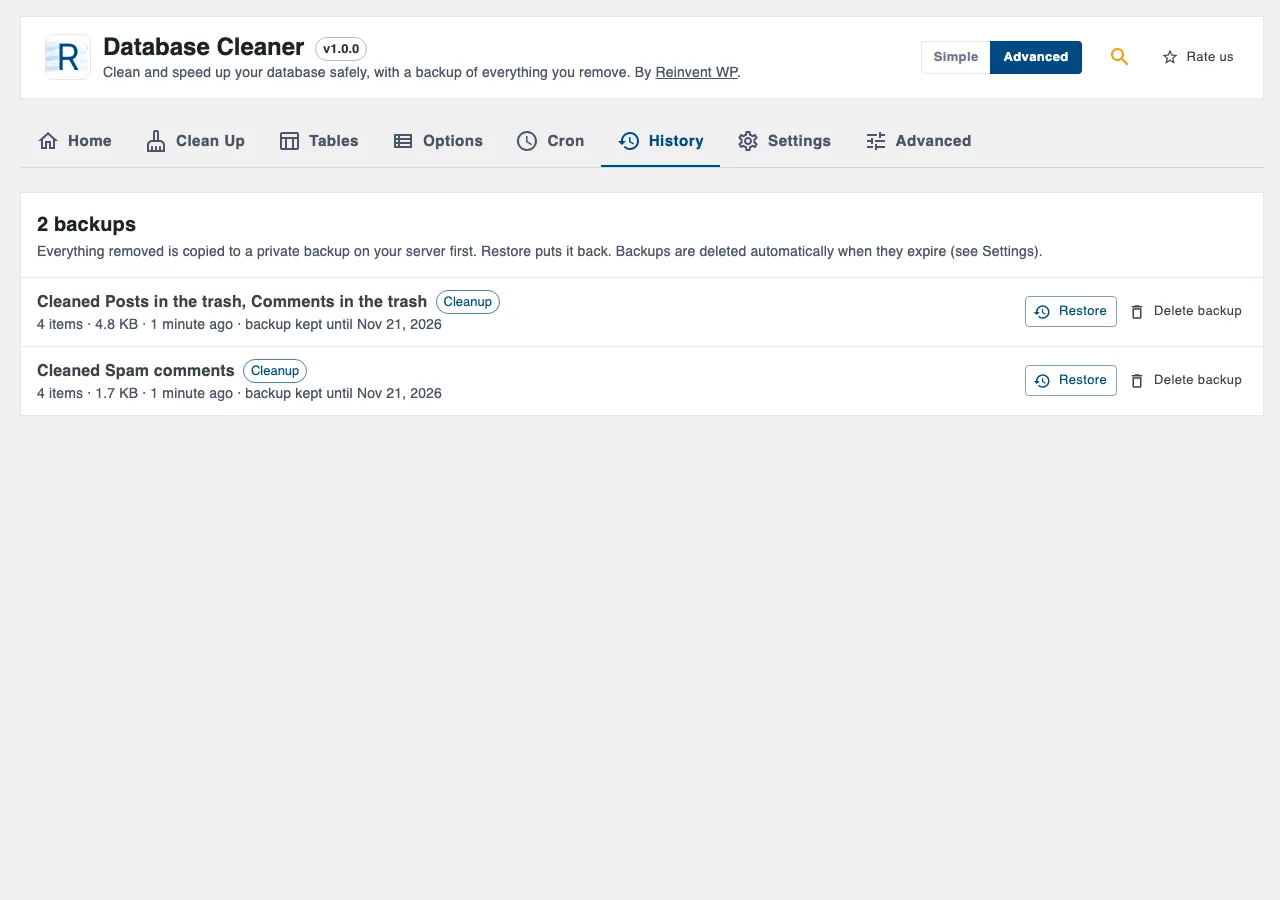
05
History with one-click restore.
Database Cleaner is coming soon
It will be free on WordPress.org. Want it sooner? Tell us what you need it for.
Tell us you want itOnce it is out
- 1
Install the plugin from Plugins → Add New, or upload the zip.
- 2
Activate it. You land on Tools → Database Cleaner.
- 3
Click Check my database, then Clean now.
Everything it does
What it cleans
Old revisions (keeps the last 5 of each post by default)
Auto-drafts and posts in the trash, with everything attached to them, so no orphaned data is left
Spam and trashed comments
Embed (oEmbed) caches
Orphaned post, comment, term and user data, and orphaned category links
Duplicate post data (review first)
Expired transients
Finished Action Scheduler tasks and their logs (WooCommerce and others)
Expired WooCommerce sessions
Leftover tables, options and scheduled tasks (Advanced mode)
Everything is free
Preview what will be removed before you clean
Backups and one-click restore for every cleanup, table, option and scheduled task
Ownership labels for tables, options and cron jobs
Optimize tables
Autoload size meter, with "stop autoloading" and undo
Weekly or monthly automatic cleanup
Simple and Advanced modes, plus a settings search that understands plain words
WP-CLI:
wp db-cleaner status,clean,index,tables,drop-table,restore
Safe by design
Backup first, always. If the backup can't be written, nothing is removed.
WordPress tables, options and tasks, and anything used by an active plugin, are never offered for removal.
Leftovers are only removed when you choose them.
Only this site's tables (its table prefix) are listed or changed.
Work runs in small, timed batches, so big sites don't time out.
Tip: keep a recent full backup of your site too, like with any tool that changes the database.
Questions and answers
In a private folder in your uploads folder (uploads/reinvent-database-cleaner/) with a random name, protected from web access. They're compressed and removed automatically when they expire.
We read the PHP files of WordPress, your plugins and your theme on your server and look for the names they use, including names built from a plugin's prefix. A name that nothing installed uses is marked "No installed plugin". It's very likely a leftover, but check it before you remove it. The backup lets you put it back if you were wrong.
Tables over 20 MB are too big to back up within one page request on many hosts. Use WP-CLI instead: wp db-cleaner drop-table <name>.
It works on the site you're on, with that site's tables. Network-wide tables are treated as WordPress tables and never removed.
More from Reinvent WP

Reinvent WP Text to Speech
Give your WordPress posts natural-sounding audio, synchronized highlighting, and a polished listening experience powered by modern web technology.

Reinvent Media Cleanup
Find and safely delete unused images and media files. Works with Elementor, Divi, ACF, WooCommerce and every page builder, for free.

Reinvent Retina Images
Sharp retina images in one click: regenerate thumbnails, fix missing image sizes, turn off unneeded ones, make WebP/AVIF and free up space.

Reinvent Rename & Replace Media
Rename images and replace media files without breaking links. Updates links everywhere, keeps old URLs working and lets you undo.

Reinvent Gallery Custom Links
Link each image in a gallery to any page or URL: products, case studies, partner sites. Works with Gallery blocks, Image blocks and classic galleries.

Reinvent Lightbox
A fast, accessible lightbox for images and galleries, with photo details (EXIF), slideshow, zoom, download and shareable links. All free.

Reinvent RSS Featured Image
Add featured images to your RSS feed, so Mailchimp, MailerLite, Feedly and other feed readers show a picture with every post. Free, no setup.

Reinvent Watermark
Add a text or logo watermark to your images on upload or in bulk, and remove it any time: the original is always kept.
Contact us
Tell us what you need. Include enough detail for us to understand your question and help you faster.
Prefer email? Write to support@reinventwp.com