
Reinvent Gallery Custom Links
WordPress Gallery Custom Links
Link each image in a gallery to any page or URL: products, case studies, partner sites. Works with Gallery blocks, Image blocks and classic galleries.
A free plugin, coming soon to WordPress.org.

Why Gallery Custom Links
In a WordPress gallery, clicking an image only opens a bigger copy of that image. Reinvent Gallery Custom Links lets each image go somewhere useful instead.
Set it once in the Media Library
Open an image and fill in "Link to" with any page or URL, and choose whether it opens in the same tab or a new one. Wherever that image appears in a gallery, it links there.
See it in action
01
Every image in a gallery opens the page you chose for it, like a guide, a product or a partner's site.
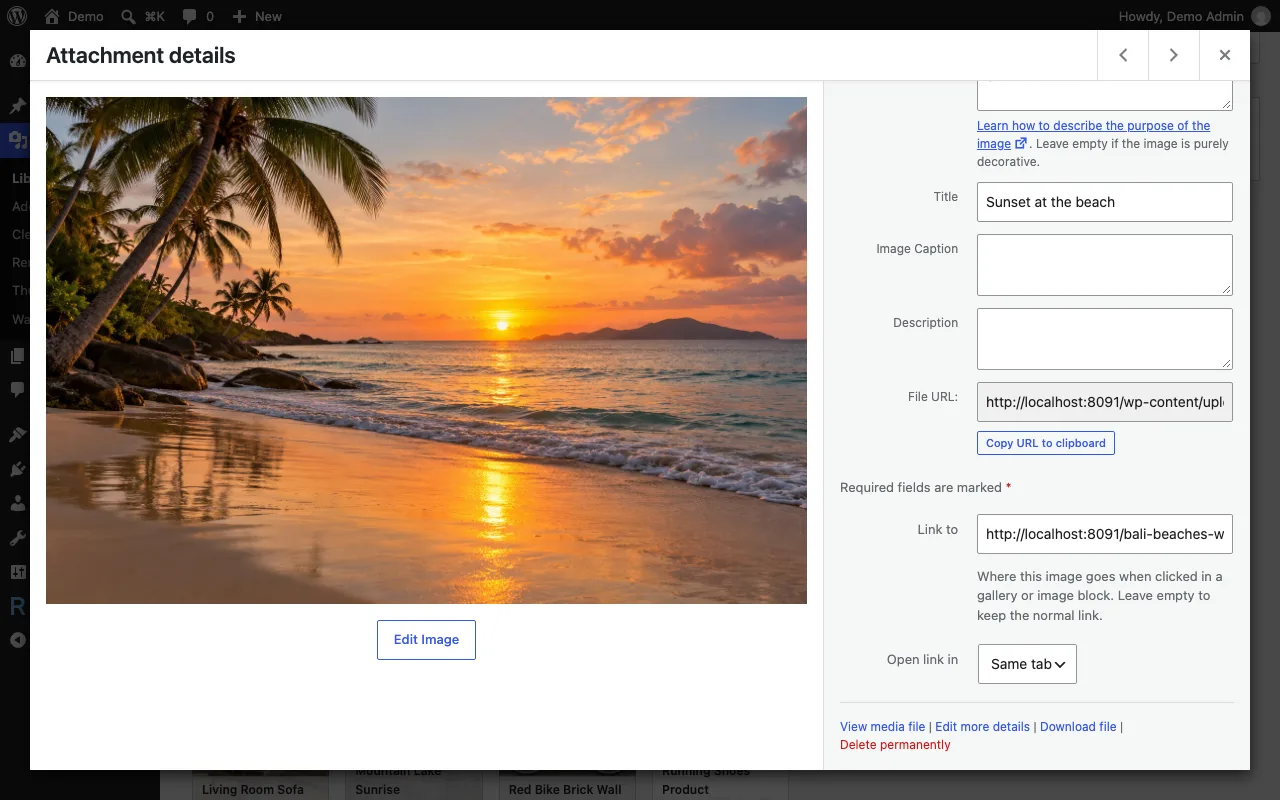
02
Set "Link to" and "Open link in" right in the image details of the Media Library.
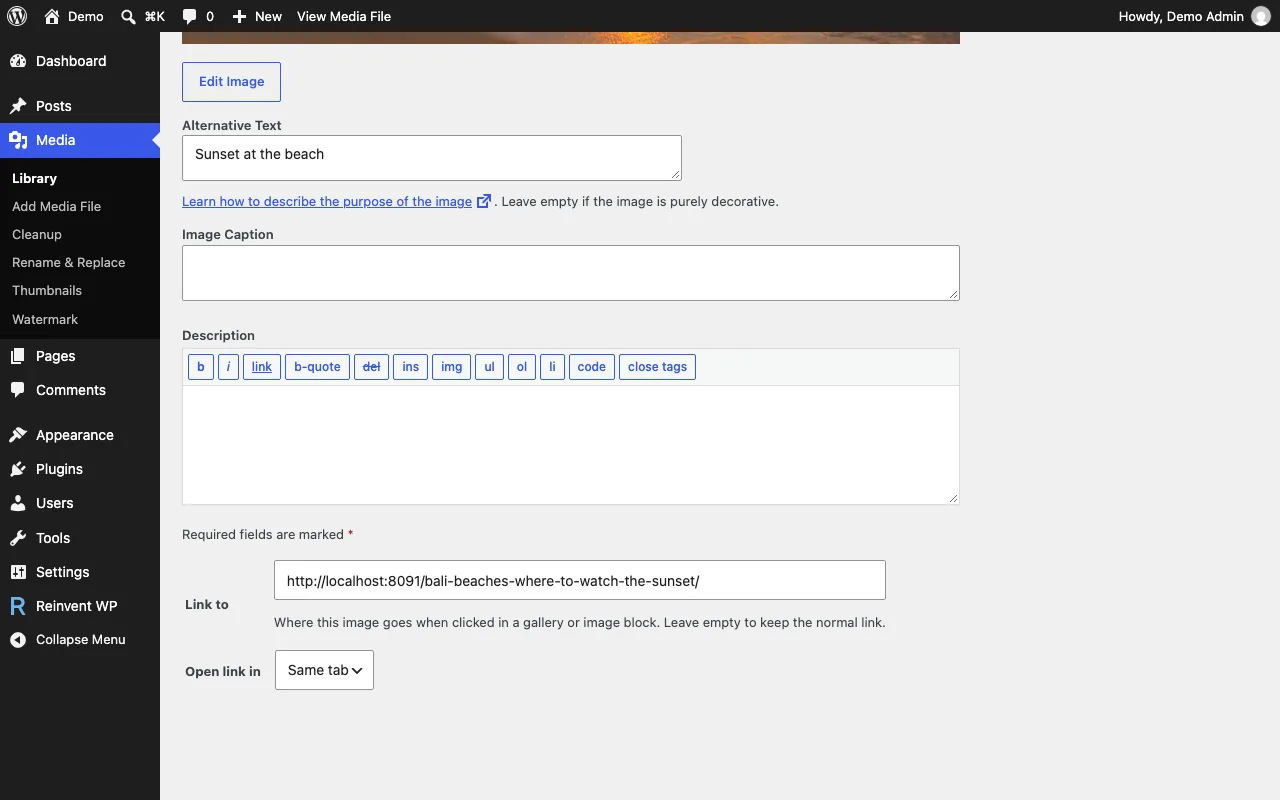
03
The same fields are on the Edit Media screen.
Gallery Custom Links is coming soon
It will be free on WordPress.org. Want it sooner? Tell us what you need it for.
Tell us you want itOnce it is out
- 1
Install the plugin from Plugins → Add New, or upload the zip.
- 2
Activate it.
- 3
Open an image in Media, fill in Link to and save.
Everything it does
Good for
Shops: product photos that open the product page
Portfolios: thumbnails that open the case study
Partner and sponsor logos that open their websites
Image grids that open your posts
Works with
Gallery blocks and Image blocks
Classic galleries (
[gallery]shortcode, with links to the file or attachment page)WordPress's "Expand on click" lightbox: images with a custom link open the link instead
Images without a custom link keep working exactly as before.
Questions and answers
Yes, when the gallery links to the image file or the attachment page. Galleries set to "no link" stay without links.
Your images go back to their normal behavior. The links stay saved, so they come back when you activate the plugin again.
No. It works entirely on your site.
More from Reinvent WP

Reinvent WP Text to Speech
Give your WordPress posts natural-sounding audio, synchronized highlighting, and a polished listening experience powered by modern web technology.

Reinvent Media Cleanup
Find and safely delete unused images and media files. Works with Elementor, Divi, ACF, WooCommerce and every page builder, for free.

Reinvent Retina Images
Sharp retina images in one click: regenerate thumbnails, fix missing image sizes, turn off unneeded ones, make WebP/AVIF and free up space.

Reinvent Rename & Replace Media
Rename images and replace media files without breaking links. Updates links everywhere, keeps old URLs working and lets you undo.

Reinvent Database Cleaner
Clean and speed up your database safely. See which plugin left each table and option behind, and undo anything with built-in backups.

Reinvent Lightbox
A fast, accessible lightbox for images and galleries, with photo details (EXIF), slideshow, zoom, download and shareable links. All free.

Reinvent RSS Featured Image
Add featured images to your RSS feed, so Mailchimp, MailerLite, Feedly and other feed readers show a picture with every post. Free, no setup.

Reinvent Watermark
Add a text or logo watermark to your images on upload or in bulk, and remove it any time: the original is always kept.
Contact us
Tell us what you need. Include enough detail for us to understand your question and help you faster.
Prefer email? Write to support@reinventwp.com